How to Edit Clips Without Being Flagged
You've scrolled past the viral videos, watched the trending TikToks, and marveled at the slick edits on Instagram Reels. But here's the thing - if you're trying to turn clipping into a side hustle, you need to know how to edit clips without being flagged. One wrong move, and your content could get taken down, or worse - you lose the chance to earn from a clip you spent hours perfecting.
Luckily, mastering safe clipping isn't rocket science. With the right techniques, tools, and mindset, you can create shareable, monetizable content while staying fully compliant with platform rules. Here's how.
Why Clips Get Flagged (And How to Avoid It)
Before you start chopping up viral content, it's crucial to understand why platforms flag clips in the first place:
- Copyrighted audio or video: Using unlicensed music, full-length shows, or movie clips can trigger automatic content ID systems.
- Excessive duplication: Posting large sections of the same video without transformation is often flagged as reposting.
- Spammy behavior: Uploading too quickly, or using misleading thumbnails and tags, can be flagged as spam.
- Community guideline violations: Even if your edit is legal, offensive or sensitive content can trigger removals.
Pro tip: Transformation is key. Platforms reward originality and context - adding commentary, trimming, or remixing a clip makes it more "safe" and monetizable.
The Art of Safe Editing
Editing clips without being flagged is about both technical skill and creative strategy. Here are practical approaches:
1. Trim Smart, Not Just Short
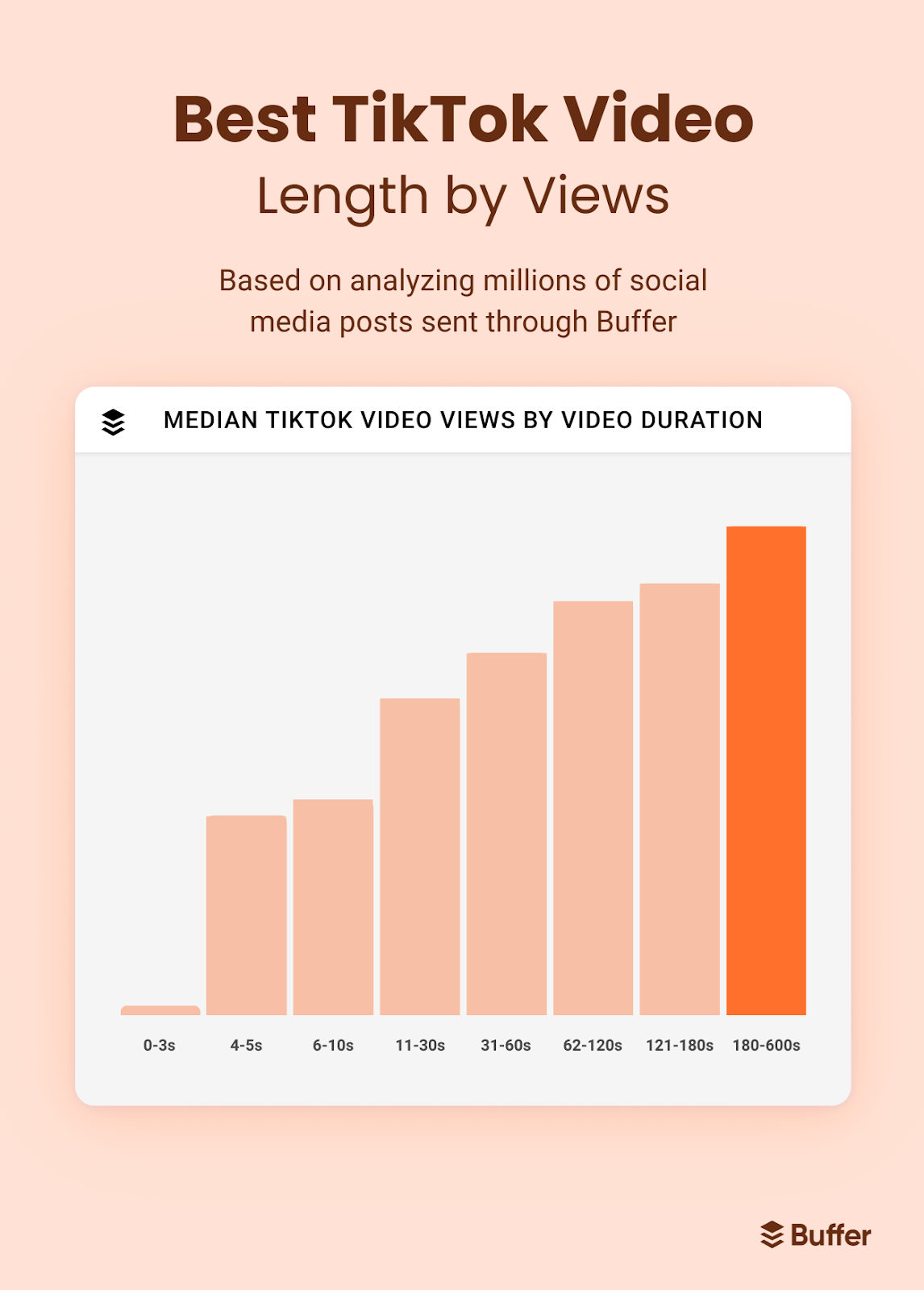
- Focus on 15-60 second highlights rather than full-length content.
- Remove intros, outros, or repetitive sections.
- Add your own commentary or overlay text to transform the content.
2. Add Value Through Overlay or Commentary
- Insert captions, annotations, or your own voiceover.
- Offer insights, context, or humor to the clip - it turns simple repurposing into original content.
- Case study: Clipper A turned 30-second TikToks into commentary reels and earned $350 in a week.
3. Change the Format
- Reformat horizontal video to vertical for TikTok and Reels.
- Crop, zoom, or use split-screen effects.
- Add transitions and motion graphics to make the clip distinct.
4. Use Licensed Audio or Royalty-Free Sound
- Avoid using the original copyrighted music unless it's cleared.
- Platforms often flag clips for music copyright before the video even gets views.
- Tip: Use royalty-free sound libraries for clippers.
5. Timing & Thumbnails Matter
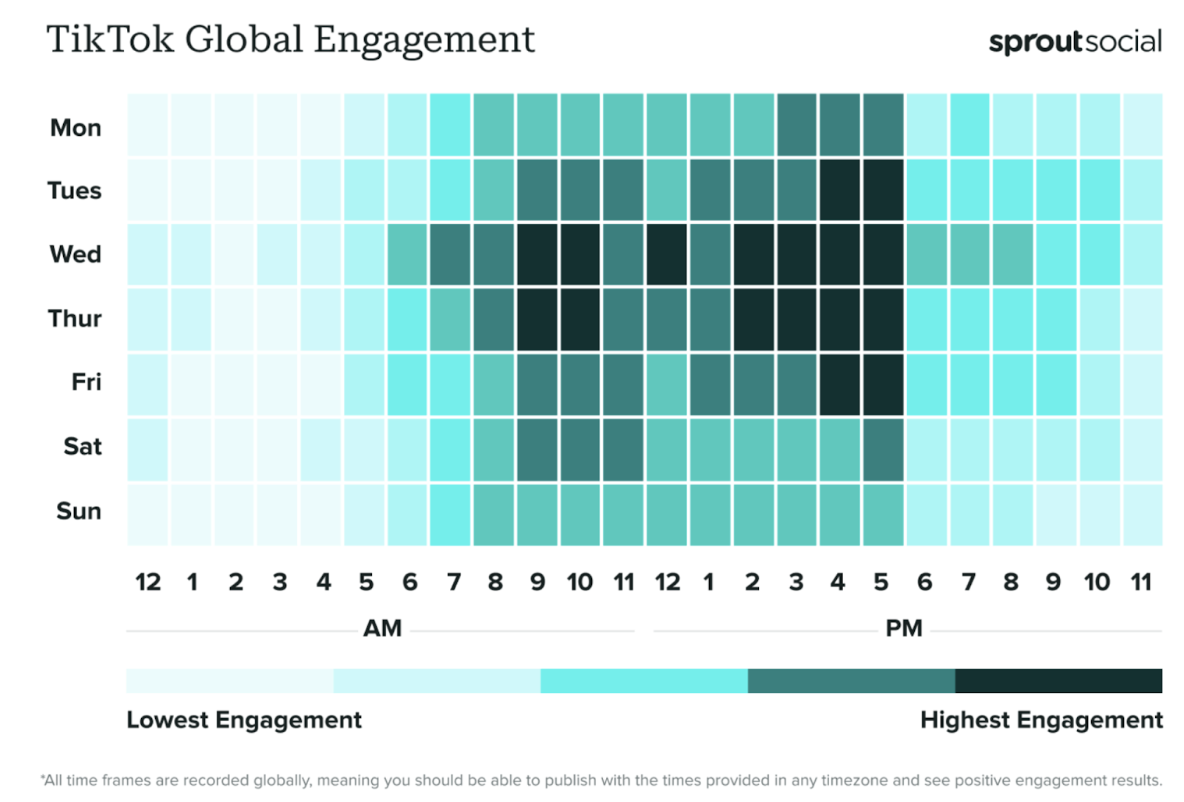
- Avoid posting multiple identical clips in a short time.
- Craft unique thumbnails - text overlays and bold imagery reduce automatic flags.
Case Study: How One Clipper Grew Without Getting Flagged
A clipper on ClipsFast started with viral streamer videos. Instead of reposting entire streams, they:
- Trimmed long clips to 20-30 seconds
- Added commentary and captions
- Used royalty-free music directly from TikTok to replace the original audio
Within two weeks, their videos started getting consistent reach, and they earned over $400 on ClipsFast without a single flag.
Tools That Make Safe Clipping Easier
- Video Editors: CapCut, Adobe Premiere Rush, and DaVinci Resolve allow precise trimming, overlays, and format adjustments.
- Music Libraries: Epidemic Sound, Artlist, and TikTok's own royalty-free tracks.
- Automation & Batch Tools: Tools like Publer, SocialBee, Buffer, and Hootsuite can help schedule edits and apply consistent branding, reducing spam flags.
Common Mistakes to Avoid
Even experienced clippers slip up. Here's what to watch for:
- Uploading entire TV shows or YouTube content in one go.
- Using copyrighted audio clips as background music.
- Minimal edits with no commentary or added value.
- Ignoring platform-specific rules (TikTok vs YouTube Shorts vs Instagram Reels).
Frequently Asked Questions
Q: Can I use trending songs? A: Only if the platform provides licensed use. Otherwise, replace it with royalty-free or your own audio.
Q: How long should a clip be? A: 15-60 seconds is optimal for most short-form platforms - long enough to engage but short enough to stay safe.
Q: Does adding text or commentary really protect me? A: Yes! Transformation is what platforms reward. Your unique take makes it less likely to be flagged as duplicate content.
From Clipping to Monetization
Once you've mastered safe edits, it's time to monetize:
- Sign up on ClipsFast to start earning from your edits.
- Check active campaigns and bounties for trending content opportunities.
- Track performance metrics and refine your editing strategy for maximum reach and earnings.
Final Takeaways
- Always transform the original content
- Use safe audio and visually unique edits
- Monitor platform rules and adapt fast
- Leverage ClipsFast for monetization opportunities
Ready to turn your edits into income? Sign up now and start earning from your clips!